A service desk that closes its own tickets
Incidents, problems, changes, releases, a service catalog, and a CMDB in one place. Tickets arrive from email, the portal, or a correlated alert, get routed and asset-linked on the way in, and escalate on their own when the clock runs down.
The whole of ITIL, not the popular third
Most modern service desks do incidents beautifully and quietly leave problems, changes, releases, and the CMDB to a spreadsheet. All six ship here.
Incidents
Full ticket lifecycle with SLA tracking, linking, and parent/child relationships.
Problems
Root cause analysis tied back to the incidents that raised it.
Changes
ITIL-compliant change workflows with approval gates.
Releases
Release records that group the changes shipping together.
Assets
A CMDB with lifecycle tracking and network asset discovery.
Service catalog
Self-service requests with fulfilment queues and approvals.
One console for the whole queue
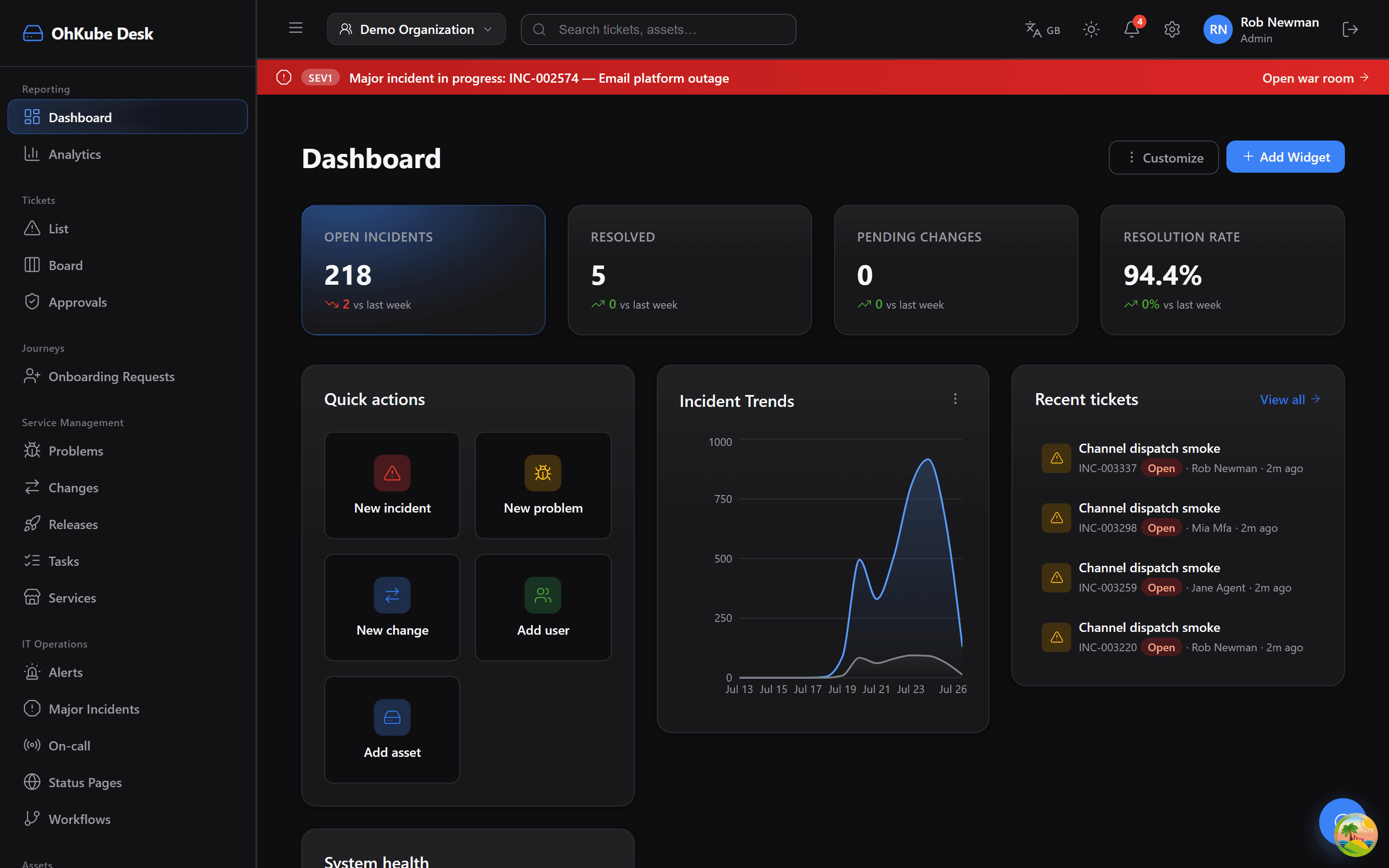
What it does
Tickets arrive from wherever your people already are
Email, the self-service portal, Slack, and correlated monitoring alerts all land in the same queue. Rules classify and route on arrival, attach the asset the ticket is about, and start the SLA clock before anyone has opened it.
A SEV1 opens a war room, not a group chat
When alerts correlate into a major incident, Desk raises the banner across every screen, opens a war room, pages the on-call rotation, and updates the public status page. The timeline it builds is the post-incident review, written as it happens.
Rotations decide who is responsible right now
Weekly or custom rotations name the person on point, and escalation policies notify the next one when an alert goes unacknowledged. Step through as many levels as you need, with a default policy for new alerts.
Ask your service desk a question in plain English
“What is our SLA attainment and average resolution time?” is a question, not a report build. OhKube AI answers from live data, alongside the standing metrics: mean time to resolve, SLA attainment, backlog, and CSAT.
Inside the console
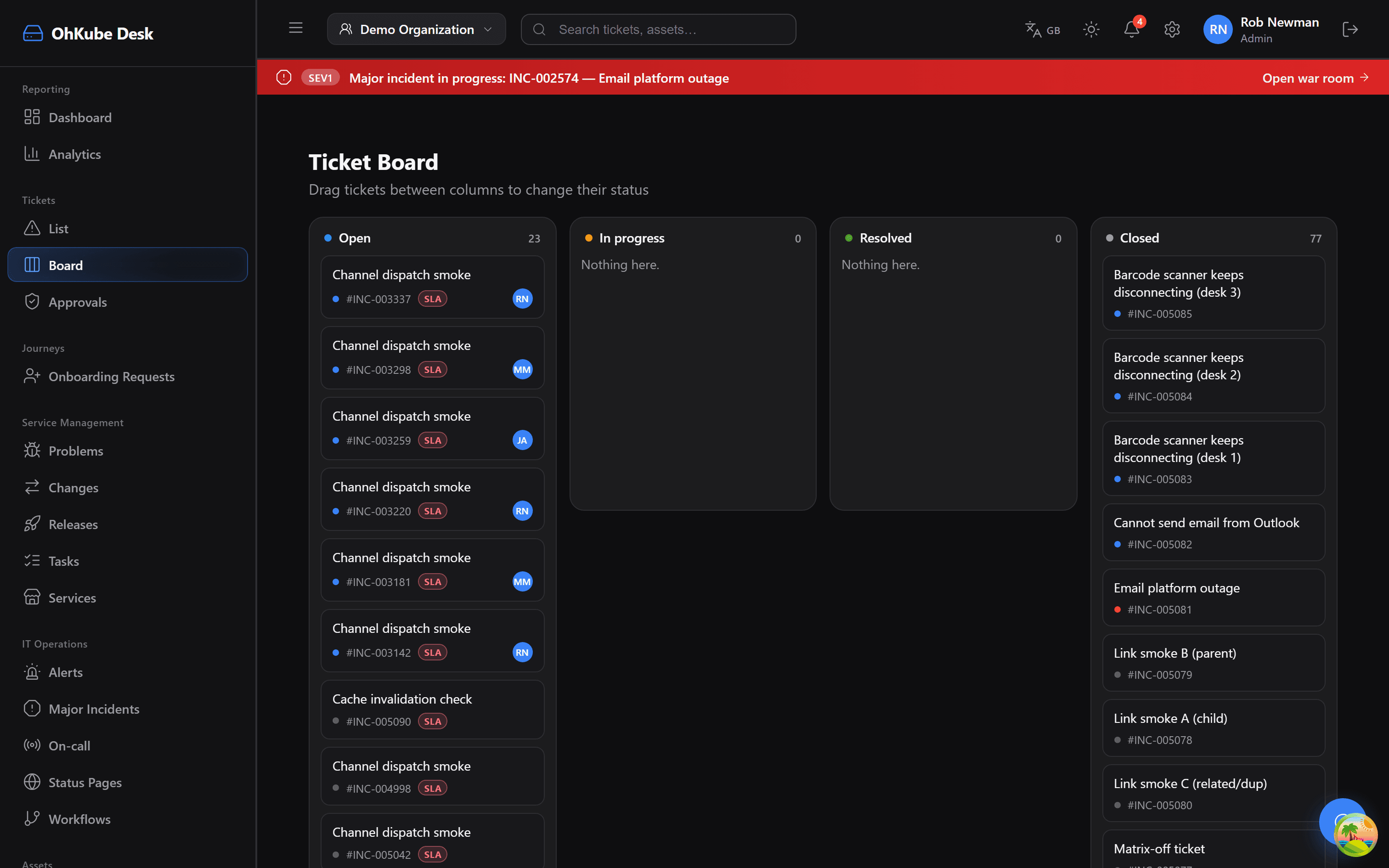
Drag between columns to change status. SLA badges and assignees sit on every card.
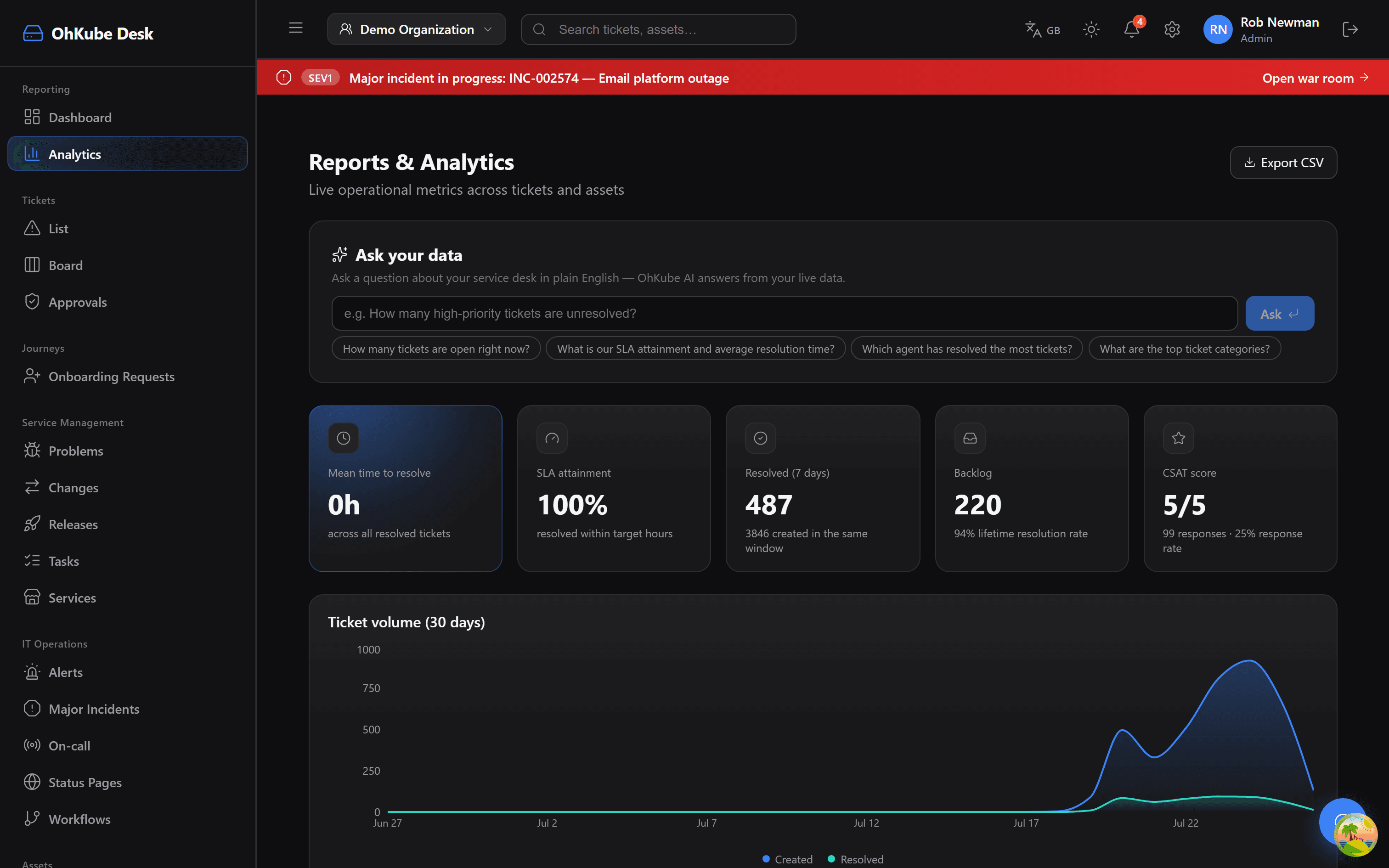
Ask your data in plain English, above live metrics for MTTR, SLA attainment, backlog and CSAT.
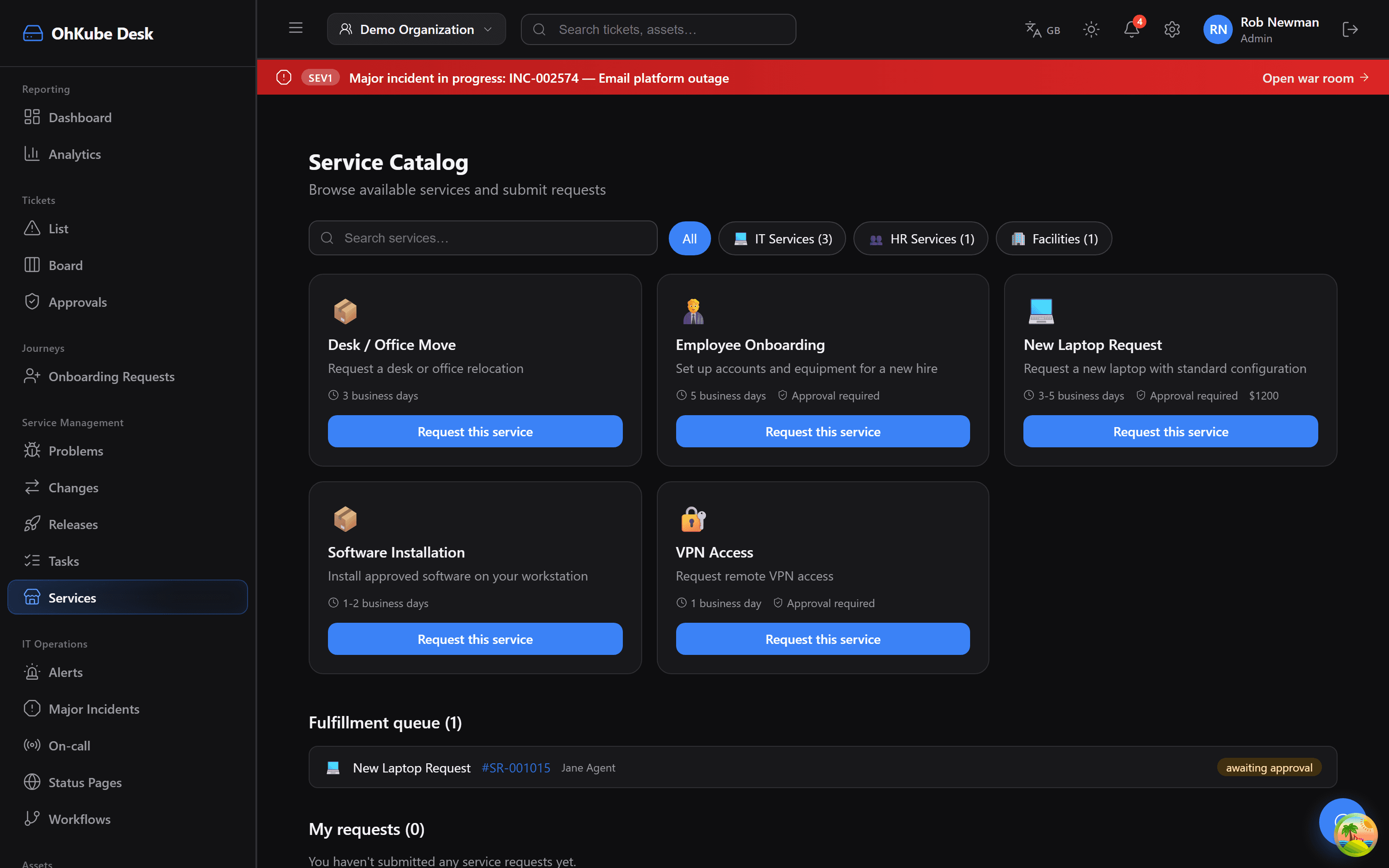
Requestable services across IT, HR and facilities, each with a turnaround time and approval rules.
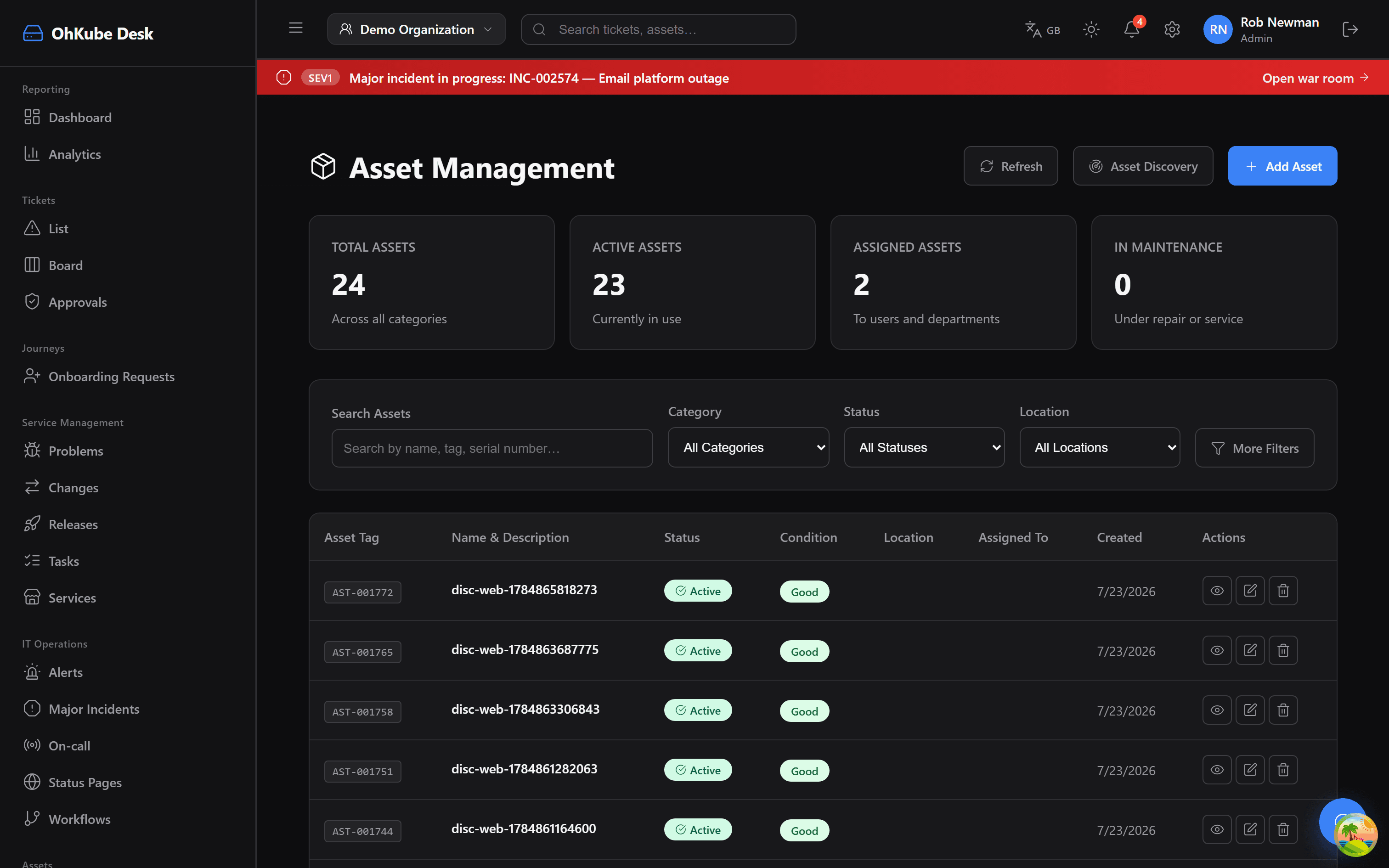
A CMDB with discovery, condition and assignment, so a ticket links to the hardware it is about.
And the rest of the day job
Approvals
Request, review, and approve, with the audit trail attached to the ticket.
Knowledge base
Articles that deflect the tickets you would otherwise answer twice a week.
Projects & tasks
Longer pieces of work tracked next to the queue they came from.
Status pages
Public pages that update from the incident rather than from someone remembering.
Onboarding journeys
Starter requests that fan out into the tasks each team owns.
Integrations
Slack, email, webhooks, and the monitoring tools that raise your alerts.
Where OhKube Desk pulls ahead
Asset-linked tickets, not asset-adjacent
Desk reads the same asset records as OhKube MDM. The laptop on the ticket is the laptop in the fleet, with its OS version, compliance state, and owner already attached.
One rule builder, four products
The automation that routes tickets is the automation that enforces device compliance and AI policy. Learn it once, and rules can cross products instead of becoming an integration project.
The whole of ITIL, not the popular third
Incidents, problems, changes, releases, service catalog, and CMDB all ship. Most modern desks do incidents beautifully and leave the rest to a spreadsheet.
The best ticket is the one nobody had to write
Between the service catalog, the knowledge base, and rules that route and resolve on arrival, most of the queue never reaches a human. What is left gets the attention it actually needed.